We build Revit plugins and software for better workflows.
Explore ready-to-use Revit plugins or work with us to build custom plugins and software solutions around your workflow.
Trusted by 200+ firms across 18 countries









// WHAT WE DELIVER
Built for Better AEC Work
We remove everyday friction so teams can focus on what matters most.
Manual
Repeat the same manual tasks across everyday project workflows
Spend valuable project time on repetitive manual processes
Results can vary across different teams and projects
Manual processes leave more room for avoidable errors
Standard software doesn't always fit specific project workflows
With BIMix
Automate routine tasks and eliminate repetitive project work
Complete everyday project workflows faster with less effort
Maintain consistent workflows and standards across every project
Improve accuracy with reliable and automated project workflows
Use purpose-built tools tailored to specific project needs
// PRODUCTS
Plugins for Every Discipline
Explore Revit plugins for real AEC workflows, helping teams work faster, consistently, with less manual effort.
Architectural Tools
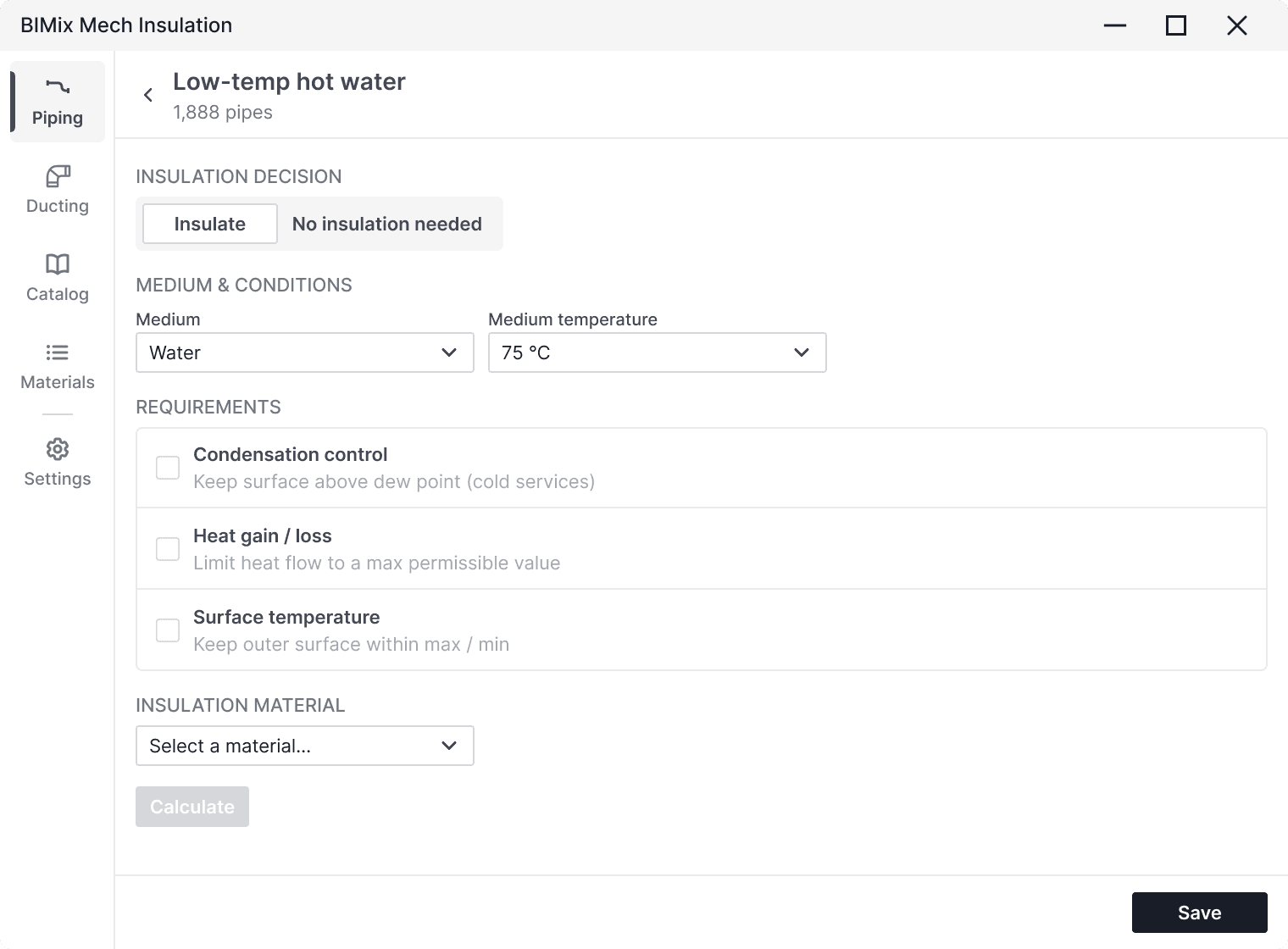
Automate room finishing, door and window scheduling, wall layer management, and area calculations all calibrated to your firm's Revit template.
Don't see the tool you need? We build custom plugins.
Request a Custom Solution// PROCESS
How It Works
From first conversation to deployed plugin, here's what working with BIMix looks like step by step.
STEP 01
Choose what you need
Browse our collection of plugins and packages to find the right tools for your Revit projects and everyday workflow.
STEP 02
Add to your account
Add the tools you need to your BIMix account and keep everything in one place, ready to access through BIMix Manager.
STEP 03
Install and use
Install your selected tools with BIMix Manager and start using them directly in Revit whenever you need them.
// PLUGIN MARKETPLACE
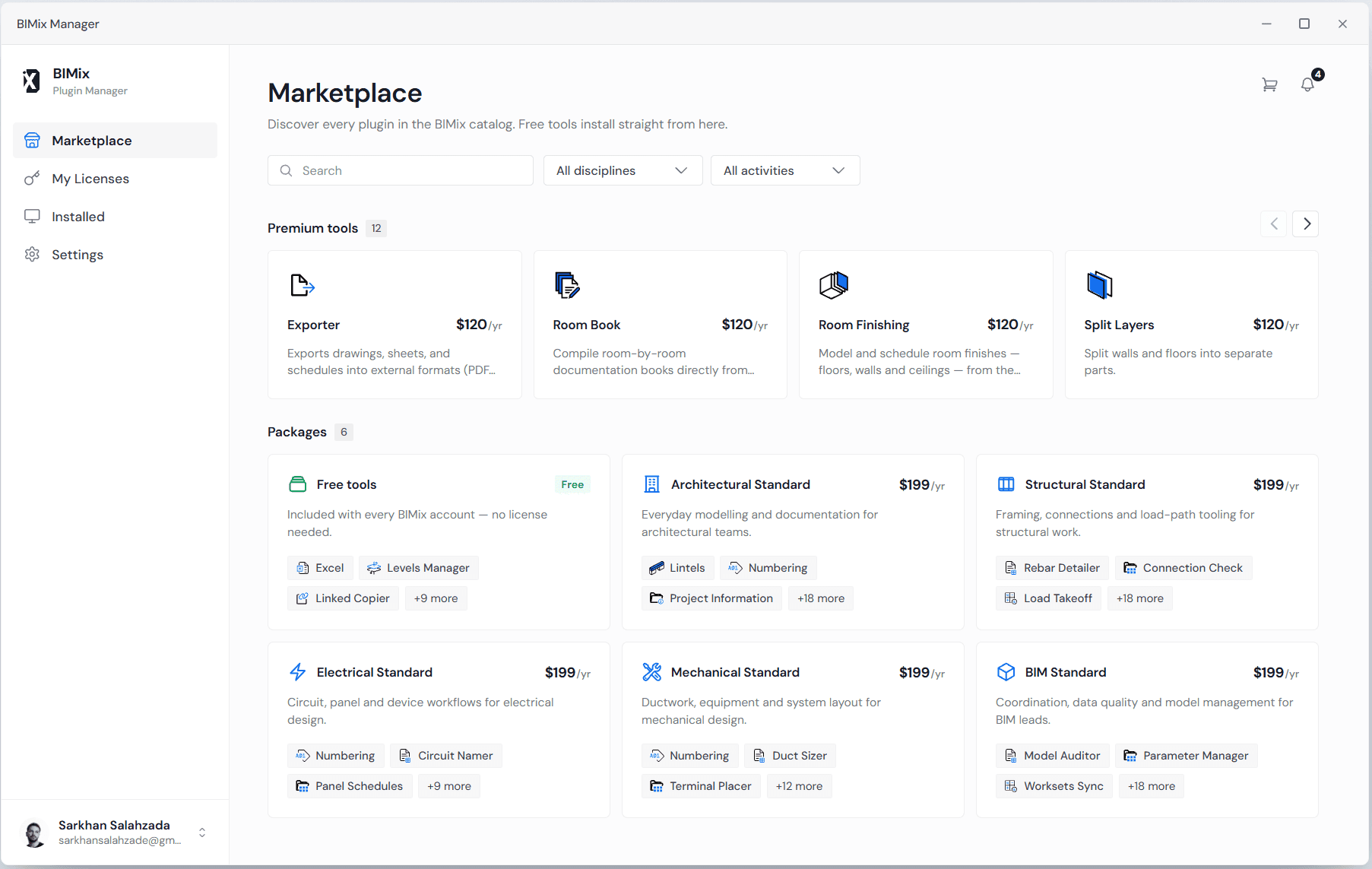
One app to browse, install, and update every plugin
The BIMix desktop app gives your team instant access to your full plugin library. Browse by discipline.

One-Click Install
Browse the full catalog, install any plugin, and start using it in Revit instantly.

Automatic Updates
Keep every plugin current, with silent updates in the background.

Team Management
Control access, assign licences, and manage seats across your team.
// TESTIMONIALS
What our customers say
Real experiences from AEC professionals using BIMix in their everyday workflows.
“BIMix cut our room-finishing workflow from two days to forty minutes. The accuracy improvement alone justified the subscription for our entire studio.”
 Edward HarringtonPrincipal Engineer @ CoreMech
“Our template used to drift from project to project. The same standards are one install away now, and a new starter has them on their first morning.”
 Maren CaldwellBIM Manager @ Halden & Roe
“Splitting compound walls and floors by hand was the job nobody wanted. It takes a click, and the model comes out the same way every time.”
 Adrian VossStructural Engineer @ Vertex Structures
“We evaluated four Revit automation tools. BIMix was the only one that matched how an MEP team actually models, and coordination stopped being a fire drill.”
 Jason KimMEP Coordinator @ Northlight Services
“The desktop app is the part I did not expect to care about. One place to install, update, and hand a full set of tools to a new project team.”
 Elodie MercerDesign Technology Lead @ Marchetti Studio
“Renumbering rooms and doors across a phased project used to cost a day of checking. It is a rule we set once and run, and the schedules agree with the model.”
 Emily CarterProject Architect @ Studio Kenna
“Keeping levels and views straight across twelve linked models was a weekly chore. Getting that afternoon back every week paid for the seats.”
 Daniel BrooksBIM Coordinator @ Tarrant Group
“Room data sheets come out coordinated with the model instead of a week behind it. Client reviews are calmer, and we stopped rebuilding the same tables.”
 Talia RosenAssociate @ Delacroix Architecture
“Parameter names never match between our office standard and a client's. Mapping them is a step in the process now rather than an argument at handover.”
 Noah FeldmanDigital Delivery Manager @ Brekk Ingenior
“Support answers, and the fix lands in the next update rather than the next release. That is rarer in this market than it ought to be.”
 Evan NakamuraRevit Specialist @ Castellane Partners
// FAQ
Your questions, answered
Have questions before getting started? We've gathered the answers you'll need most.
Get the essentials on plugins, updates, access, and custom solutions.
Revit 2025, 2026 and 2027. Each plugin ships a separate build per major version, and the desktop app installs the right one for whatever you have on the machine.